The SimplyAsk AI App Platform: IT sheet
Run your operation on AI Apps, and keep your people in the loop.
One platform runs your AI and manages the work your people still do by hand. Start from AI Apps already proven in production at other firms, or build new ones with SimplyAsk Cue, our AI assistant.
LATEST: What's new in the SimplyAsk AI App Platform 2.0


You set the outcome. The AI App reaches it.
An AI App bundles the AI Agents, Processes, human tasks and anything else one job needs. It reports on the results you define.
An AI App called Invoice Approvals, installed as one unit to achieve its outcome. It reports one outcome: every supplier invoice coded and sent for approval. It holds eight resources: AI Agents, Processes, service tickets, knowledge bases, chat widgets, submission forms, Connectors and Skills.
Invoice Approvals
Installs as one unit to deliver an outcome · Tap or click a resource to learn more
Every supplier invoice coded and sent for approval
-
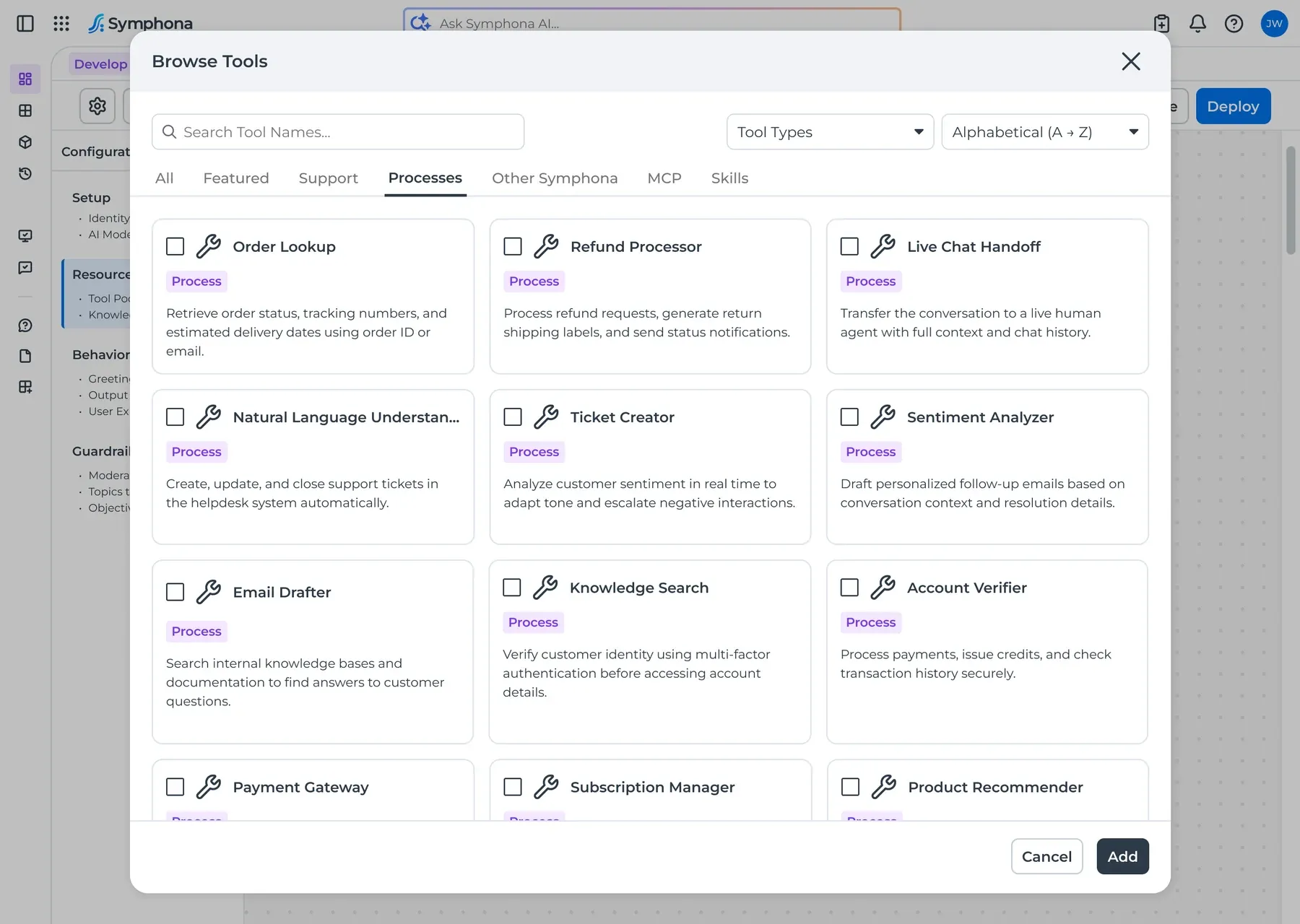
AI Agents
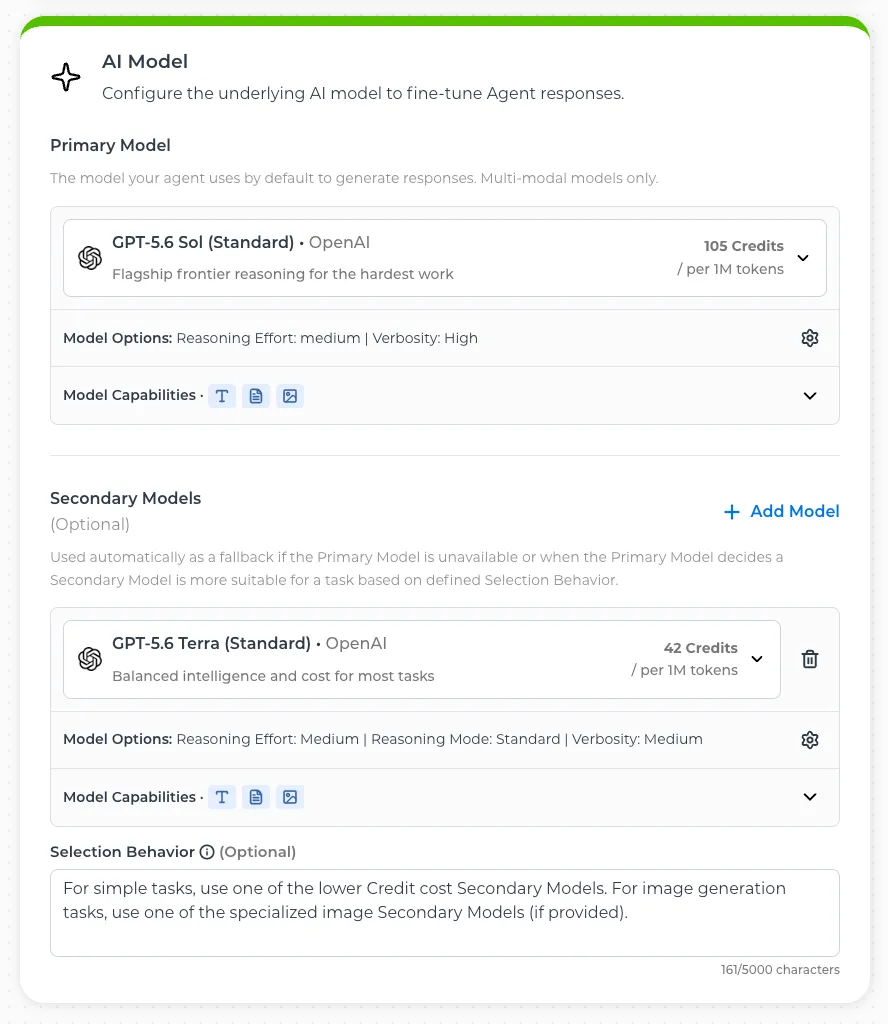
You pick its AI model, and can add secondary models.
- Answer staff asking where an invoice stands
- Answer a question about vendor terms
-
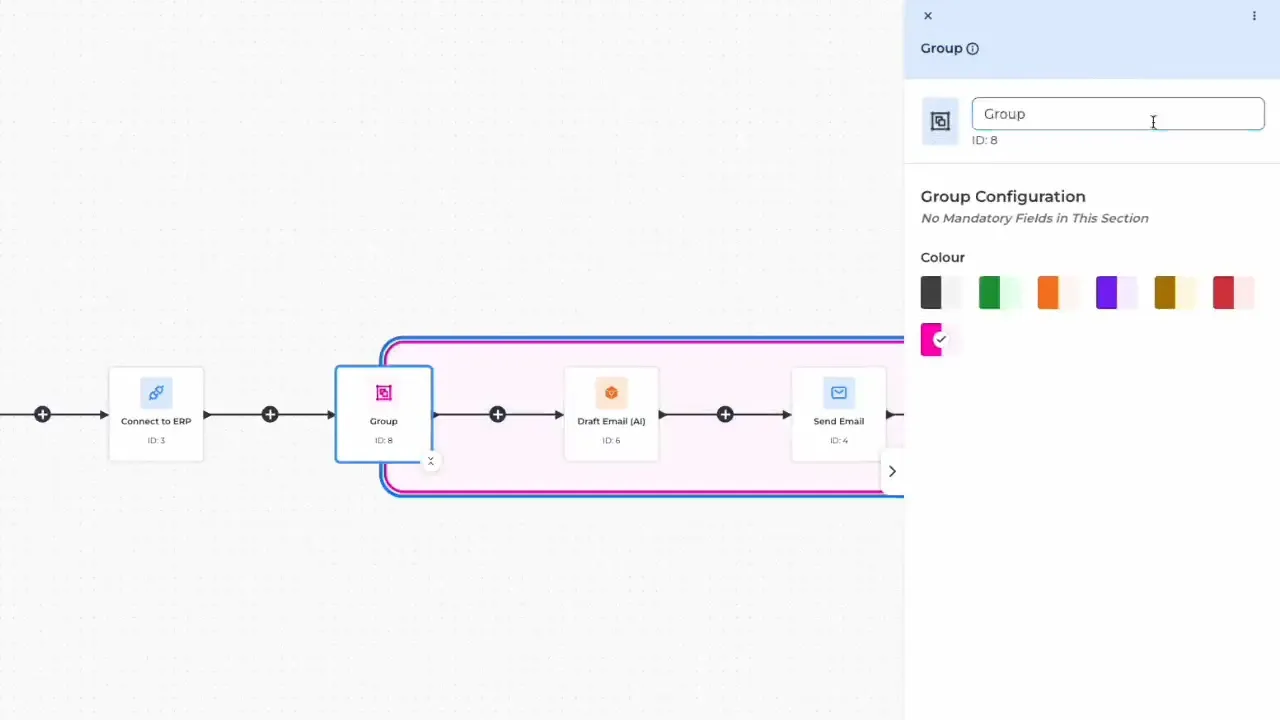
Processes
Build one by drag and drop, or describe it to Cue.
- Code each invoice's lines
- Send an invoice over the limit for approval
-
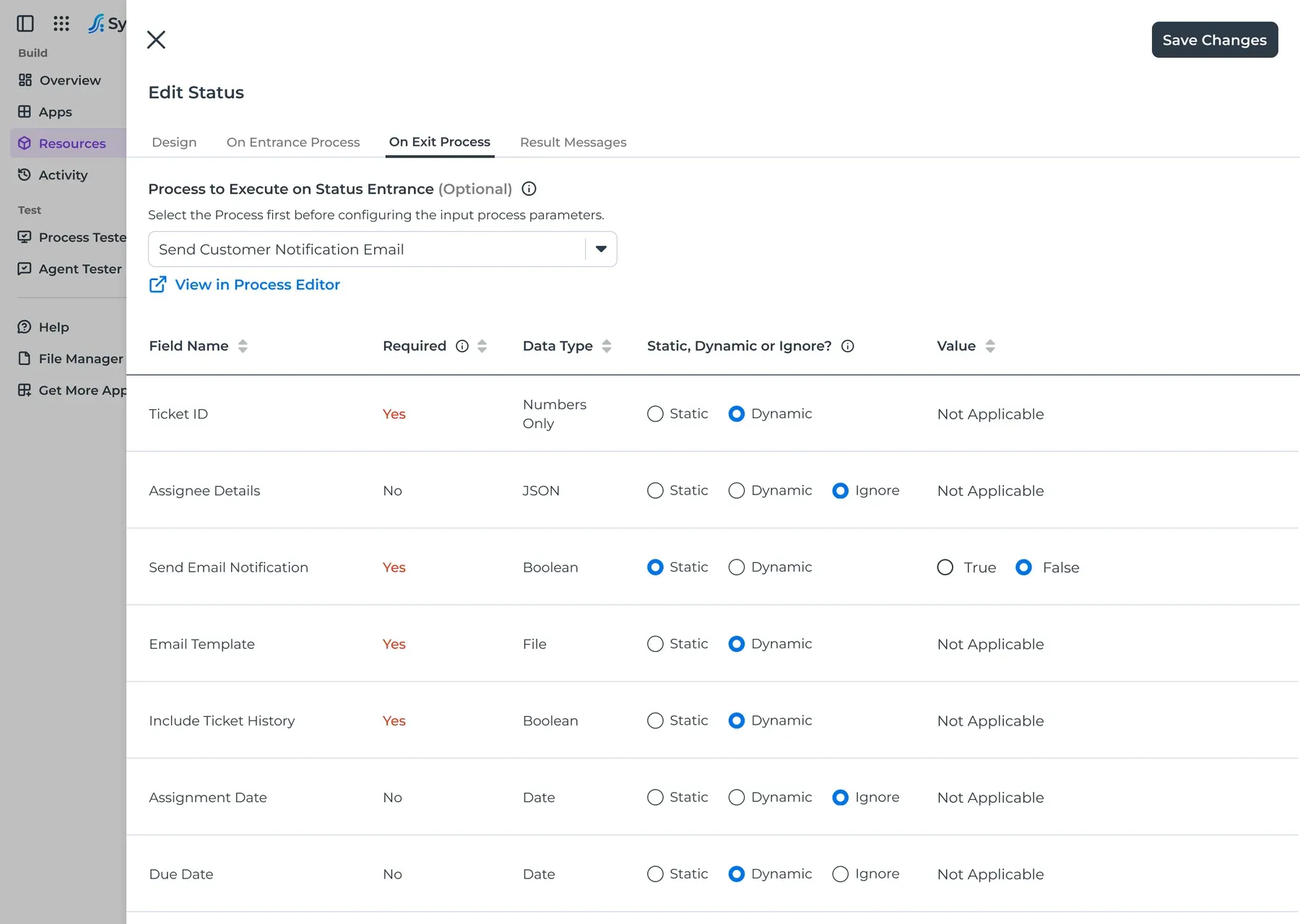
Service tickets
Each App defines the ticket types its job needs.
- A coded invoice waiting for approval
- An invoice over the approval limit
-
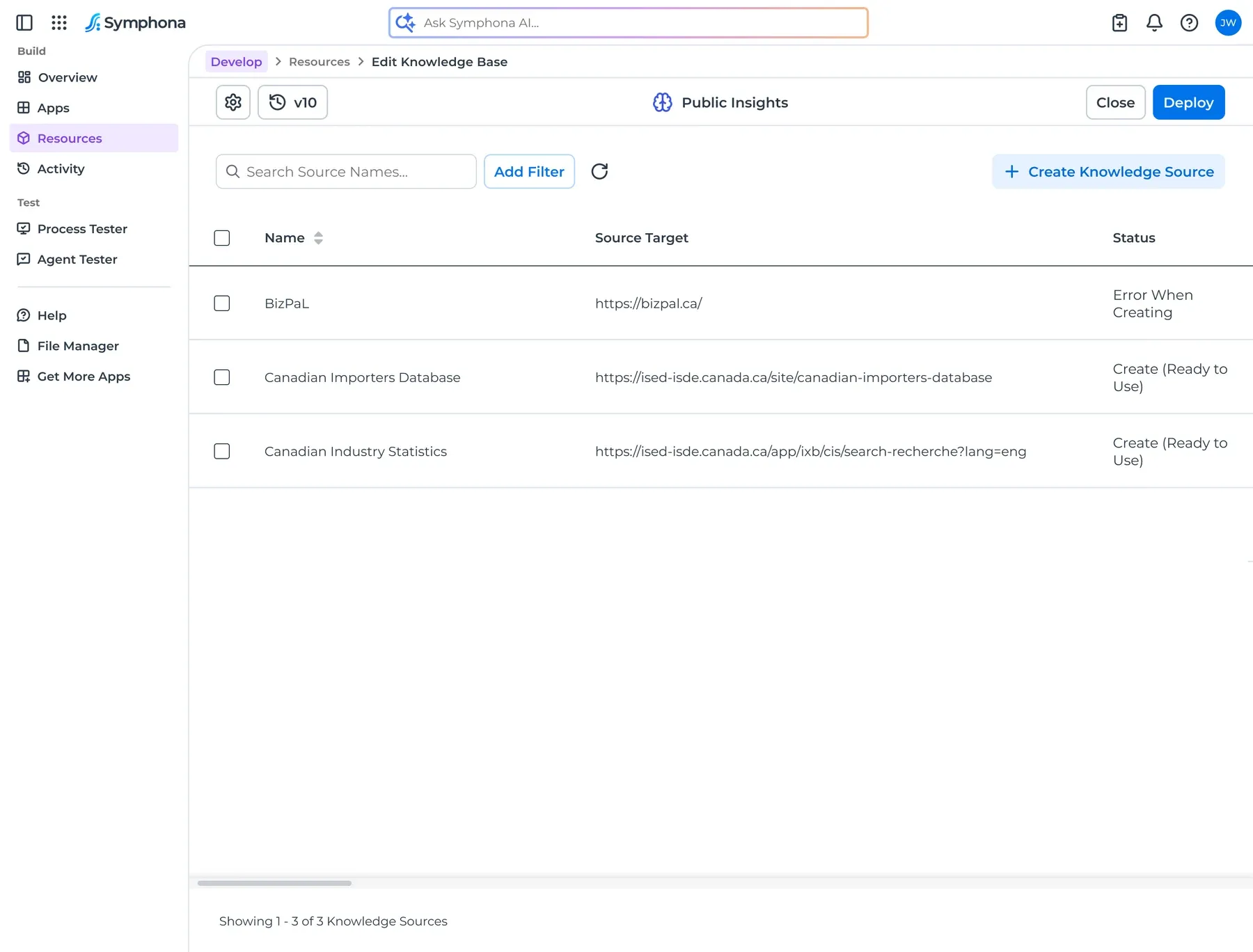
Knowledge bases
An AI Agent answers from your policies.
- Vendor terms
- Approval rules
-
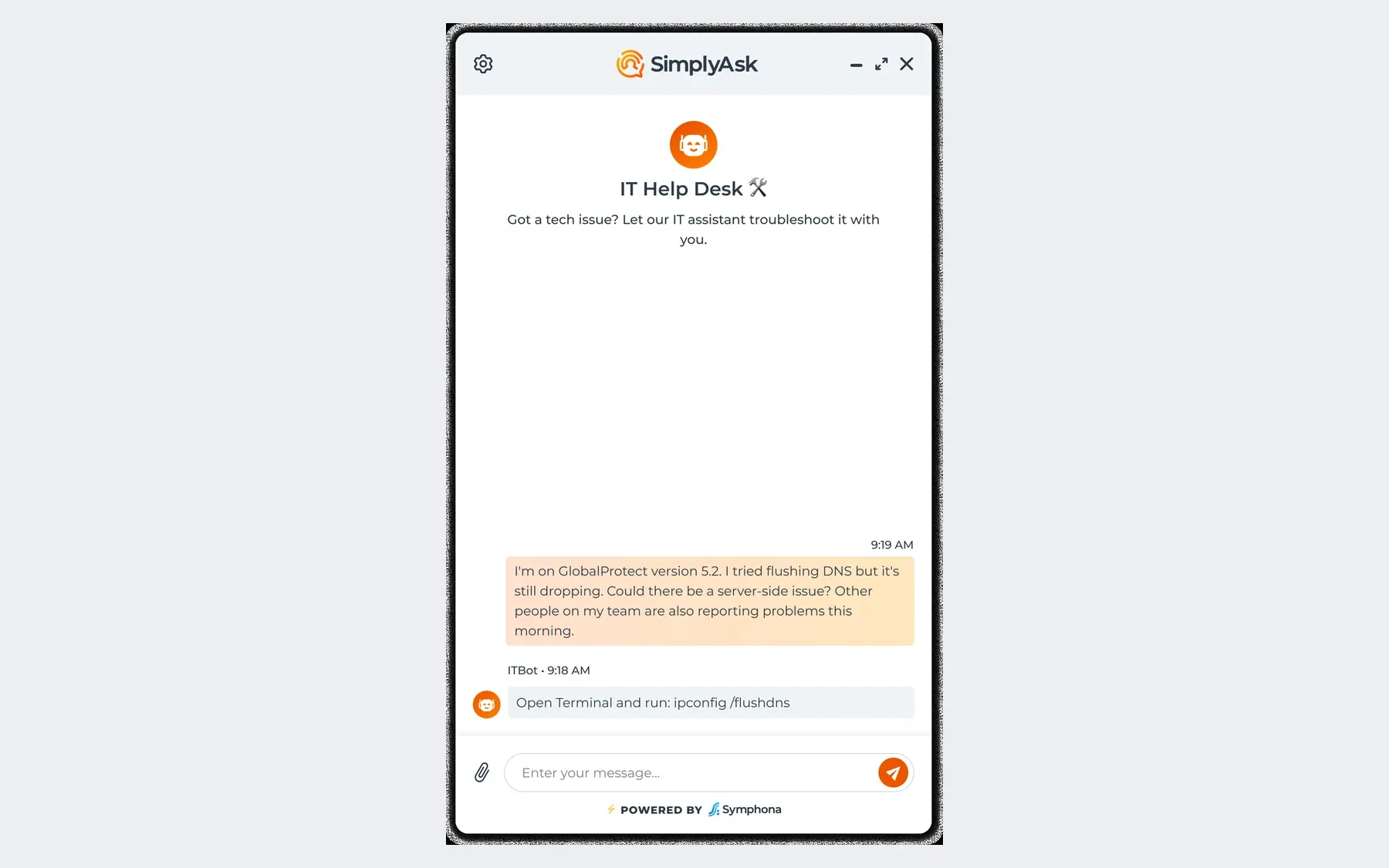
Chat widgets
The widget sits on your own site.
- Staff questions about invoice status
- Questions about vendor terms
-
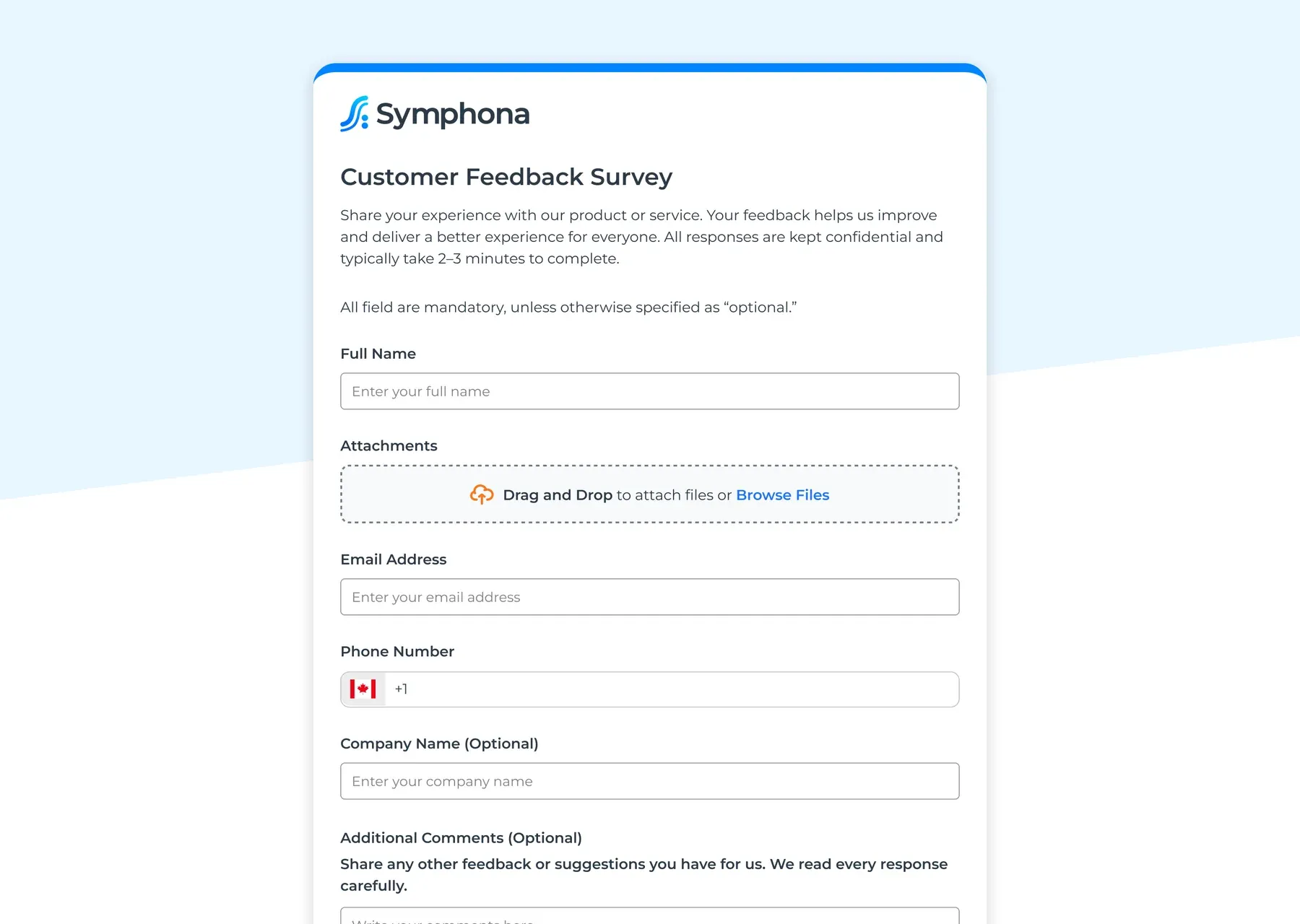
Submission forms
The form collects what a job needs from whoever fills it in.
- Supplier invoice upload
- New supplier request
-
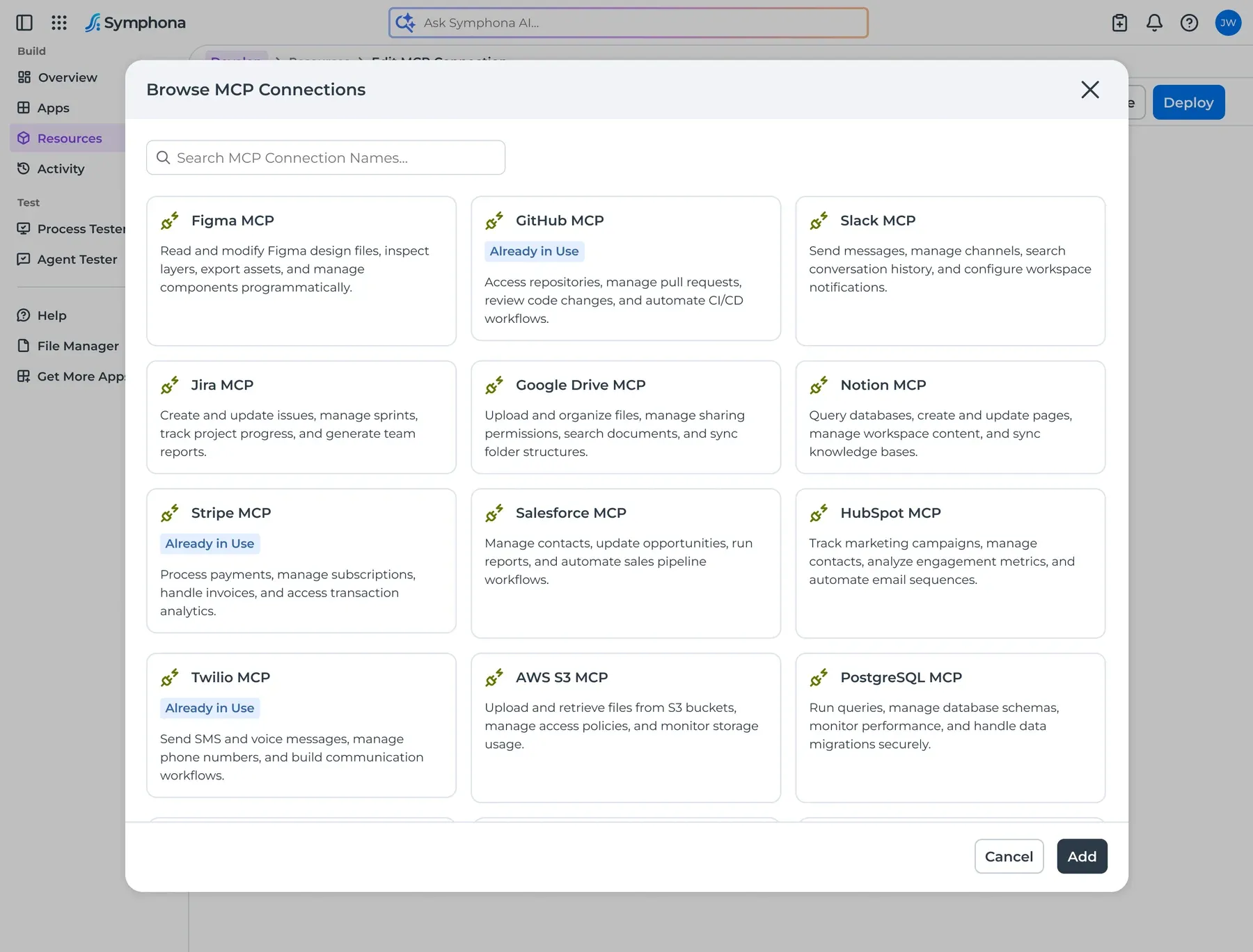
Connectors
An AI Agent can use the tools on each MCP server you connect.
- Vendor records
- Your accounting system
-
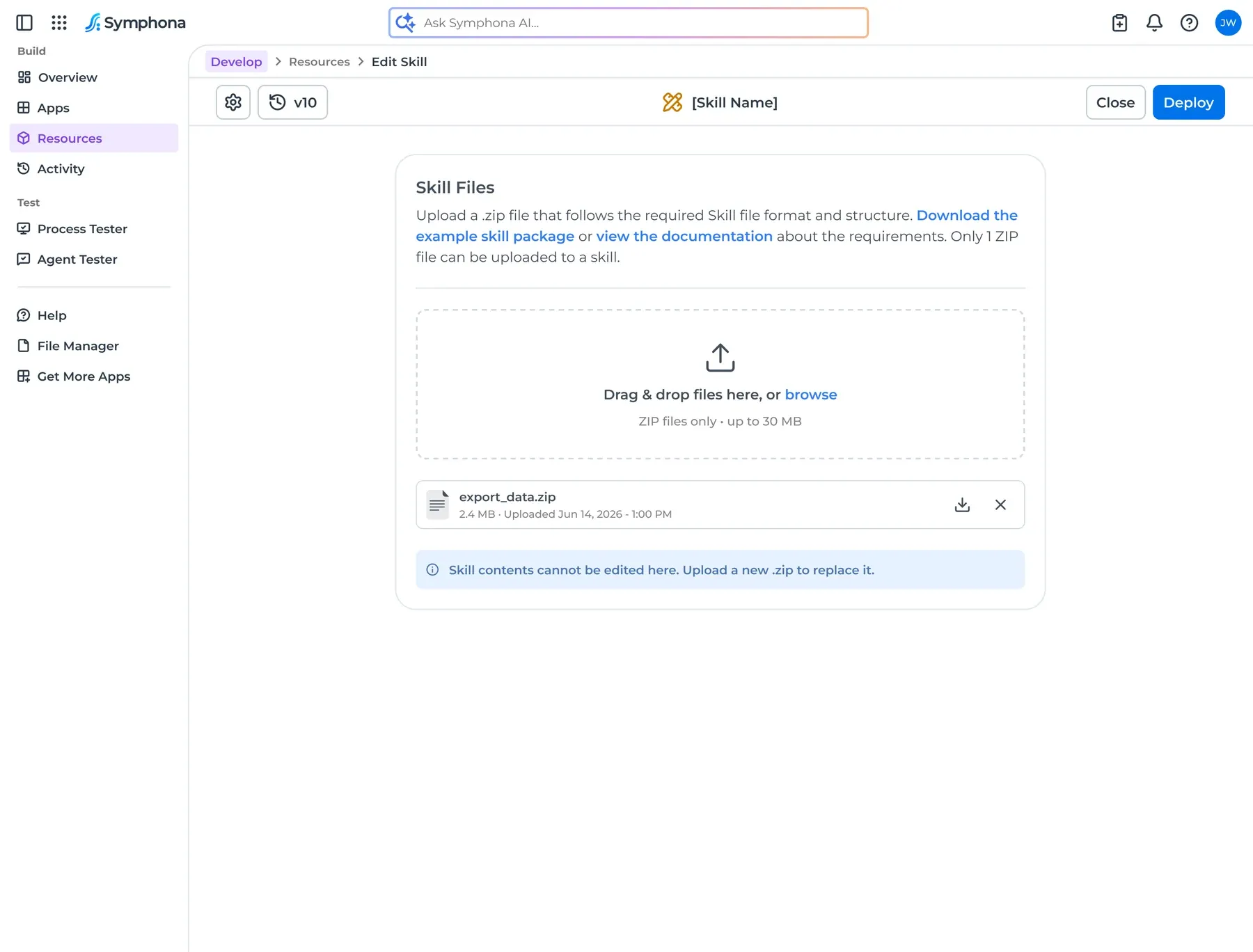
Skills
Each App carries the Skills its AI Agents need.
- Code an invoice's lines
- Write a supplier follow-up
Introducing SimplyAsk Cue. It drafts the whole App, your team's tasks included.
The same request, set out two ways. One reply is a to-do list of five steps still waiting for you. Cue's reply is the App that covers them, ready for you to review.
Cue lays out the AI Agents, Processes, human tasks and anything else the job needs.
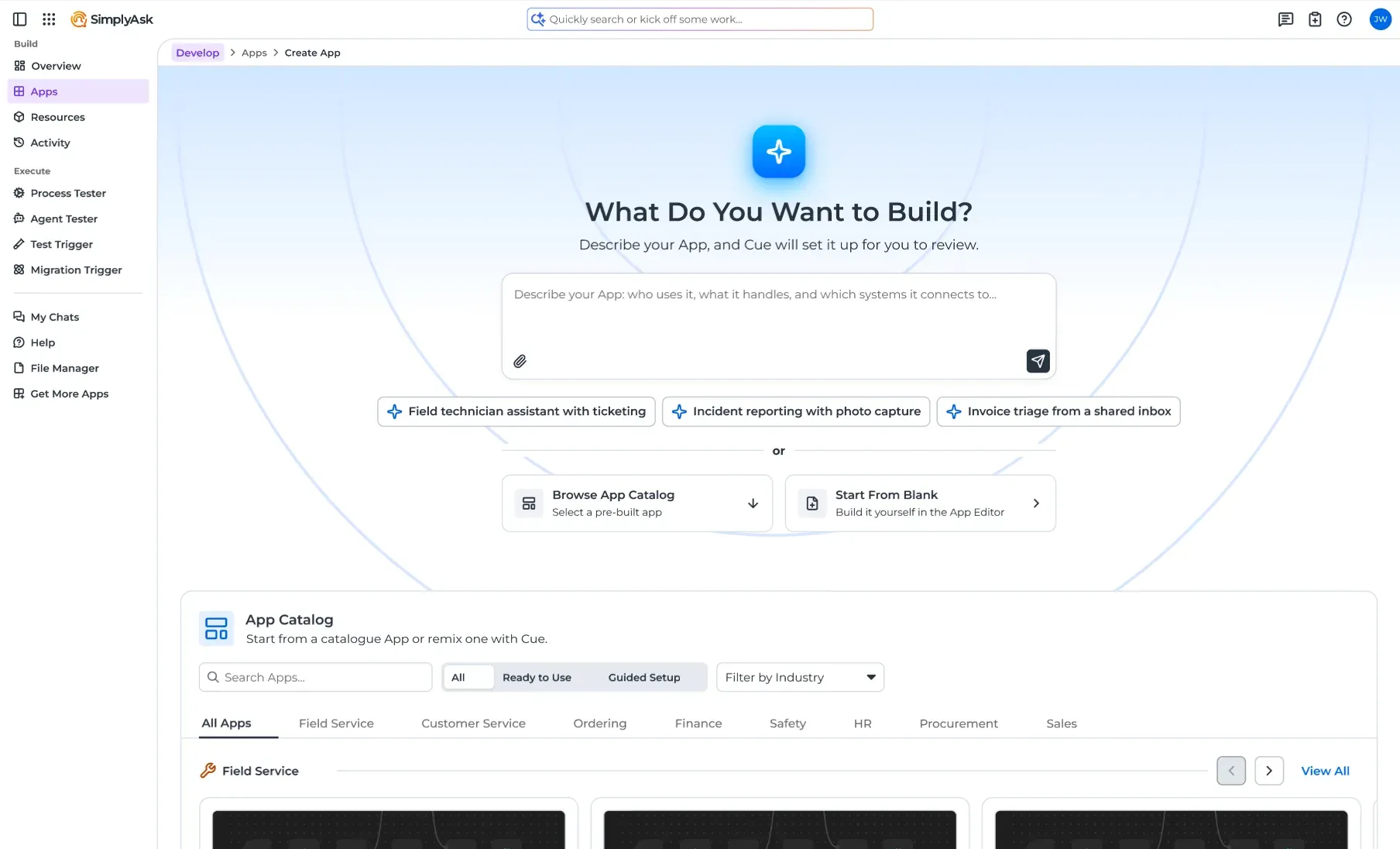
Set up invoice triage for our shared accounts payable inbox.
A TO-DO LISTEvery step is yours to do.
✦ CUE'S REPLYHere's the App. Have a look before it runs.INVOICE TRIAGE · DRAFT
- Forward every invoice to one inbox and check it each morning.
- Copy the vendor, amount and due date into a spreadsheet.
- Look up the purchase order and compare the amounts.
- Email anything that doesn't match to whoever approves it.
- Write down your approval rules so every check is the same.
- PROCESSWatches the accounts payable inbox and picks up every invoice
- AI AGENTReads vendor, amount and due date
- PROCESSMatches each invoice to its purchase order
- HUMAN TASKExceptions go to the AP team to approve or reject
- KNOWLEDGE BASEYour approval limits and vendor terms
5 STEPS OFF YOUR LIST
A TO-DO LISTEvery step is yours to do.
✦ CUE'S REPLYHere's the App. Have a look before it runs.FIELD ASSISTANT · DRAFT
- Gather your manuals and job procedures in one folder.
- Look up the right pages each time a technician asks.
- Log anything nobody can answer in your ticketing tool.
- Chase each ticket until someone picks it up.
- Tell the technician when it's sorted.
- KNOWLEDGE BASEYour manuals and job procedures
- AI AGENTAnswers technicians' questions from the manuals
- SERVICE TICKETOpens a ticket when it can't answer
- PROCESSAssigns each ticket to the site lead
- HUMAN TASKThe site lead resolves it and tells the technician
5 STEPS OFF YOUR LIST
A TO-DO LISTEvery step is yours to do.
✦ CUE'S REPLYHere's the App. Have a look before it runs.INCIDENT REPORTING · DRAFT
- Ask crews to email the details and photos to you.
- Open each photo and write down what it shows.
- Fill in an incident report by hand.
- Check it's complete and chase what's missing.
- Send it to the safety manager.
- SUBMISSION FORMCrews send details and photos from their phone
- AI AGENTDescribes what each photo shows
- PROCESSFills in the incident report
- PROCESSAsks the crew for anything missing
- HUMAN TASKThe safety manager reviews and signs off
5 STEPS OFF YOUR LIST
Inside your Apps, people bring Cue the day's requests. It works through them with your team.
-
Summarize ticket 4821 and assign it to the site lead.
TICKET 4821 · ASSIGNED TO SITE LEAD
-
Move Thursday's Lot 14 inspection to Friday morning.
LOT 14 INSPECTION · MOVED TO FRI 08:00
-
Run the invoice check now, then put the exceptions on the AP team's task list.
INVOICE CHECK DONE · 3 EXCEPTIONS TO AP
Ready-made Apps for the common jobs. Use one as it is, or let Cue change it.
- FIELD OPERATIONS
Field Service App
Your crews ask the App. It answers from your manuals and routes the rest to the right desk.
Remix with Cue ✦ - SALES AND MARKETING
RFP App
A first draft of every RFP answer, with a decision trail.
Remix with Cue ✦ - FINANCE
Accounts Payable App
Reads and codes each invoice against your vendor terms and approval rules.
Remix with Cue ✦ - CUSTOMER CARE
Customer Support App
Customers help themselves. Your team takes the rest.
Remix with Cue ✦ - Browse all AI Apps
- Remix any of them with Cue ✦
Or start blank in the App Editor and build it by drag and drop.


One platform runs the whole job, from fully automated to fully human.
We call it the Spectrum of Operations. One job can cross all of it: an invoice can pass through an AI Agent, a Process, a person's approval and a ticket.
Checking an invoice, from fully automated to fully human. An AI Agent matches the invoice to its purchase order. A Process applies your rules. A person approves an invoice over the limit. The AP lead asks an AI Agent which invoices are waiting. A person handles an invoice with no purchase order, as a ticket.
SimplyAsk's intuitive tools and open integrations make it a simpler and more scalable option than building and maintaining complex, expensive custom AI solutions in-house.
Every team's tool brings its own rules. On SimplyAsk, every team works under one set.
Finance buys an automation suite and support buys a service desk. Each tool keeps its own permissions and records, so a job that crosses teams has to cross tools too. On the SimplyAsk AI App Platform, every team's AI and work runs in one place, under one set of permissions and one audit trail.
Five teams, shown two ways. Bought tool by tool, the five teams use ten tools, each with its own permissions and records: ten sets of rules. On SimplyAsk, the same teams run nine AI Apps, from fully automated to fully human, under one set of rules.
| Tool by toolFULLY AUTOMATED FULLY HUMAN | Team | On SimplyAskFULLY AUTOMATED → FULLY HUMAN |
|---|---|---|
| Automation suite AI chat | Finance | Finance runs the Accounts Payable and Collections AI Apps on SimplyAsk. Show Finance tool by tool. |
| Agent builder Ticketing | Field operations | Field operations runs the Work Order Scheduling and Field Service AI Apps on SimplyAsk. Show Field operations tool by tool. |
| AI chat Service desk | Support | Support runs the Customer Support AI App on SimplyAsk. Show Support tool by tool. |
| RPA suite Service desk | IT | IT runs the IT Help Desk and NOC / Incident Triage AI Apps on SimplyAsk. Show IT tool by tool. |
| AI chat Agent builder | Sales | Sales runs the Lead Qualification and Prospecting AI Apps on SimplyAsk. Show Sales tool by tool. |
| 10 TOOLS 10 SETS OF RULES | 9 AI APPS 1 SET OF RULES |
Tool by tool. Each team buys AI for its own slice of the work: an AI chat, an agent builder, an automation or RPA suite, a service desk.
On SimplyAsk. Each team runs its work as AI Apps. An App holds what its work needs, such as AI Agents, Processes, tasks for people and service tickets. So one App can run a job from fully automated to fully human. Work that crosses teams stays on one platform. SimplyAsk connects to specialist tools where you need them.
Already using one of these? See how SimplyAsk compares
One set of permissions covers the work, and one audit trail records it.



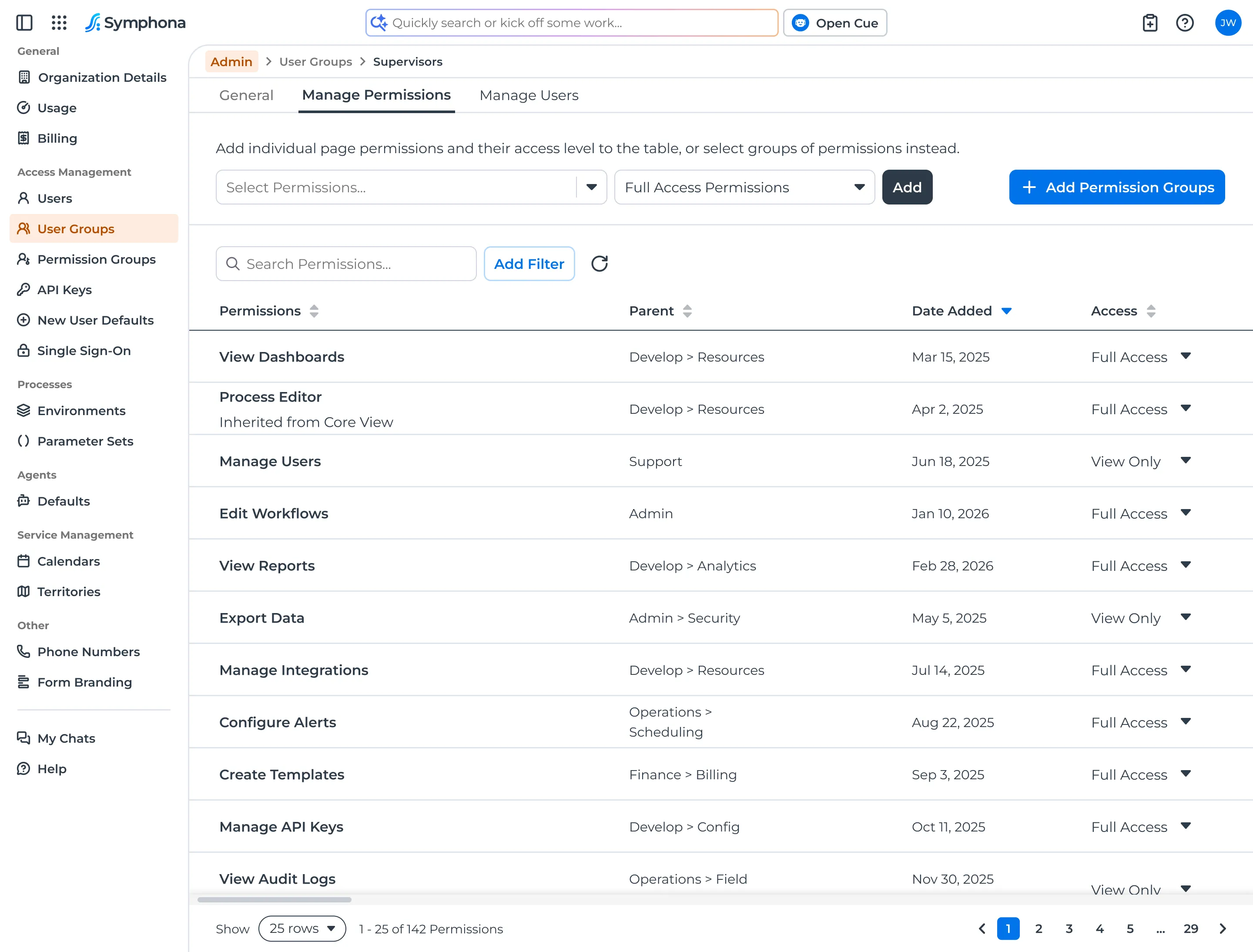
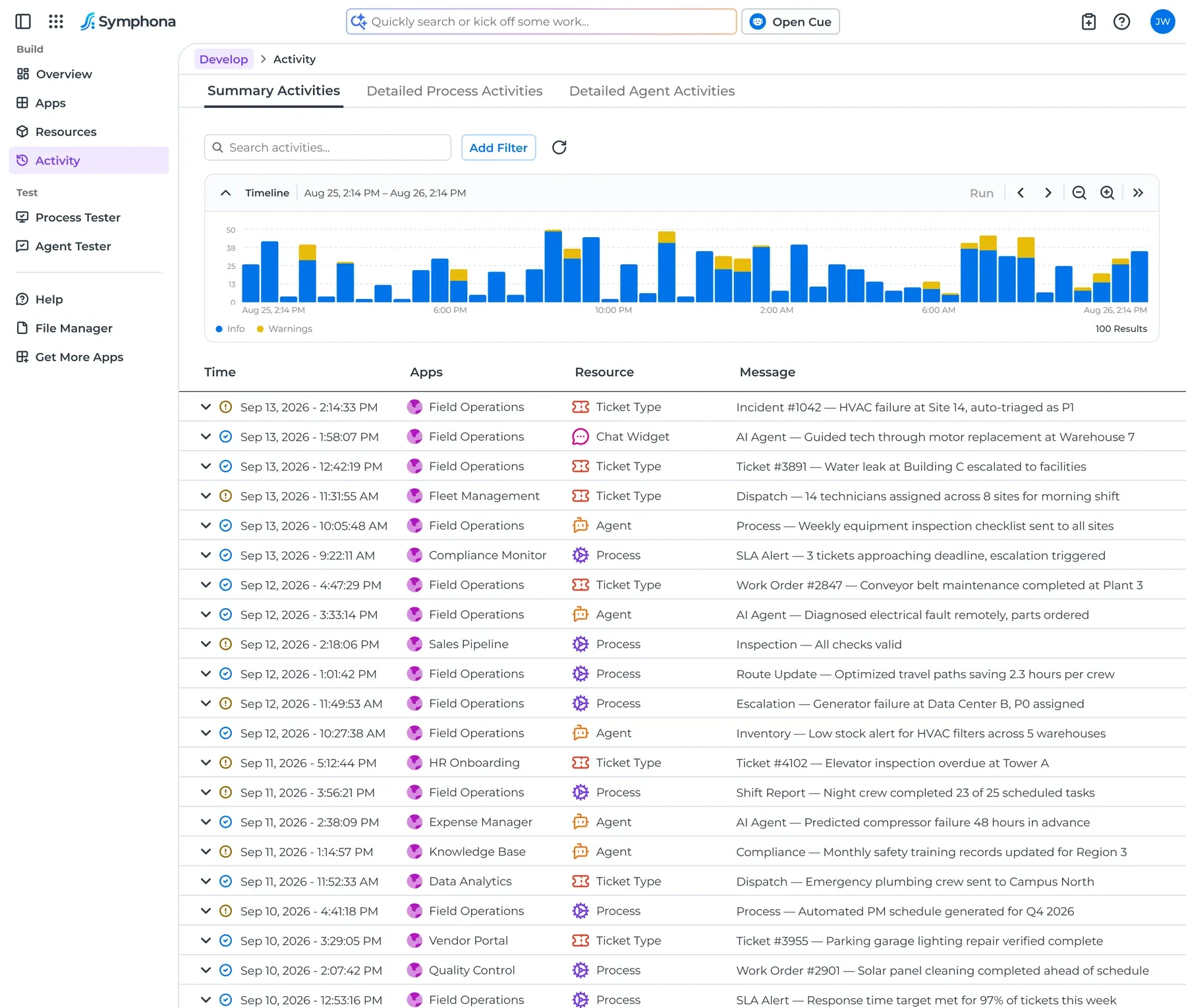
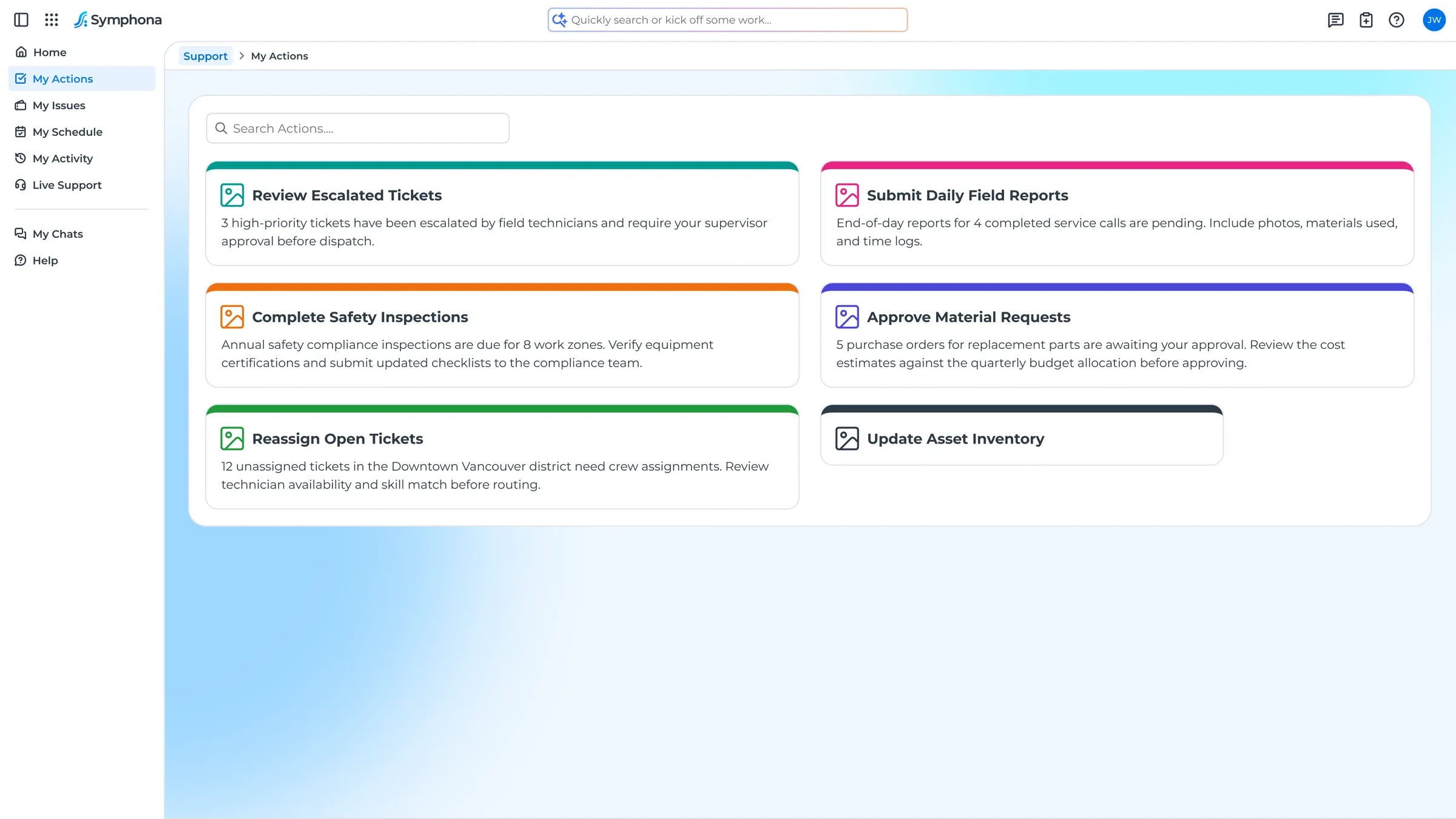
- GUARDRAILS Access by user, group or role. On enterprise plans, single sign-on and MFA.
- AUDIT TRAIL Trace every action end to end, whether AI or a person did it.
- HUMAN APPROVAL A Process can hold a step for a person's sign-off, then carry on once they give it.
It connects to the systems you run, and to the AI tools you use.
The SimplyAsk Platform connects to systems in five groups: service and ticketing, documents and collaboration, customer and revenue systems, customer contact, and field and project operations. A few are shown. A second connection runs to your AI tools, through a public REST and MCP gateway.
A FEW OF THEM
SERVICE AND TICKETING
DOCUMENTS AND COLLABORATION
CUSTOMER AND REVENUE SYSTEMS
CUSTOMER CONTACT
FIELD AND PROJECT OPERATIONS
The SimplyAsk Platform
Service tickets, work schedules, AI Agent conversations and logs live in the platform itself.
YOUR AI TOOLS
A public REST and MCP gateway, so the AI tools you use can drive the platform.
Claude, ChatGPT and your own agents
It reads and writes in your systems over REST and SOAP APIs, direct database connections, SFTP and SSH, and uses external MCP servers as tools for AI Agents.
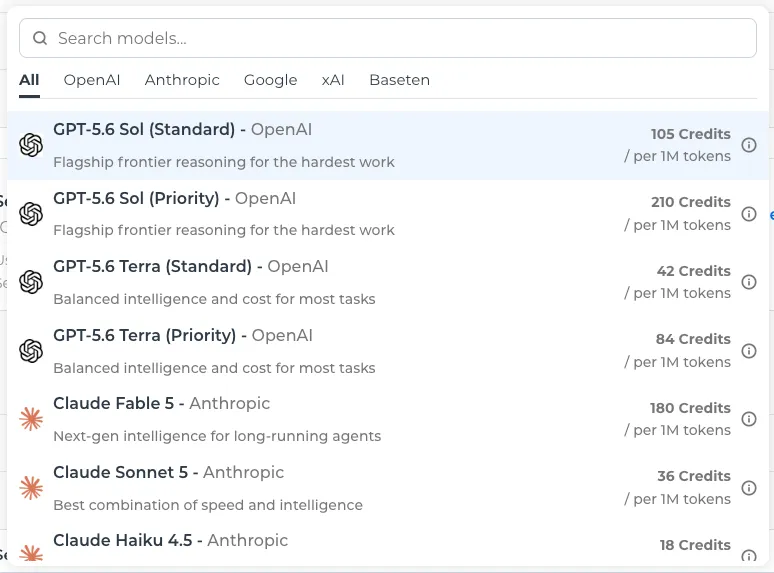
Use the best model for each job, without an account for each provider.
The latest models come through the platform, on the same plan as everything else.
Give each AI Agent secondary models. A secondary model takes over if the primary is unavailable, and the primary can hand it a task, following guidance you write.
27 models supported today, from 8 providers
- GPT-6 Astra Text
- GPT-6.1 Sol Text
- GPT-6.1 Terra Text
- GPT-6 Luna Text
- GPT Image 2.6 Sunburst Image
- GPT Image 2.6 Flare Image
- Claude Fable 5.2 Text
- Claude Opus 5.5 Text
- Claude Sonnet 5.5 Text
- Claude Haiku 5.5 Text
- Gemini 4 Carbon Text
- Gemini 4 Argon Text
- Gemini 3.8 Flash Text
- Gemini 3.5 Flash-Lite Text
- Nano Banana Pro Image
- Nano Banana 2.1 Image
- Grok 4.7 Text
- Grok Imagine Image 2.0 Image
- Grok Imagine Image Image
- GLM-5.3 Text
- GLM-5.3 Flash Text
- Kimi K3 Text
- DeepSeek V4 Pro Text
- DeepSeek V4.1 Flash Text
- Textract Detect Document Text Document AI
- Textract Analyze Document Forms Document AI
- Textract Analyze Document Tables Document AI
Or run open models on your own hardware and connect your own accounts with any LLM provider, on enterprise plans.
Deploy the way your rules require, up to fully air-gapped.
- Montréal
- Toronto
- Iowa, US
- London
- Frankfurt
- Tokyo
- Singapore
- Sydney
- São Paulo
ENTERPRISE PLANS
Managed SaaS: we run your AI App on our global infrastructure network. Its regions today: Montréal, Toronto, Iowa in the US, London, Frankfurt, Tokyo, Singapore, Sydney and São Paulo.



Everything IT will ask. On one sheet.
PLATFORM
- DEPLOYMENT
- Self-serve plans run on Managed SaaS, across our global infrastructure network. Enterprise plans can also run on Dedicated SaaS, in your own cloud or in your own data centre, including air-gapped.
- MODELS
- Models from OpenAI, Anthropic, Google and xAI, open-weight models from Z.ai, Moonshot AI and DeepSeek, and AWS Textract for document AI. Each AI Agent can carry secondary models. For self-hosted models, talk to our team.
- CONNECTS TO
- CRM, ERP and billing, over REST and SOAP APIs, direct database connections, SFTP and SSH. External MCP servers work as tools for AI Agents.
- YOUR AI TOOLS
- One public REST and MCP gateway, with access tokens scoped per resource type, so your teams can drive the platform from their own AI tools.
- DATA THE PLATFORM HOLDS
- Service tickets, work schedules, AI Agent conversations, logs and other data fetched, processed or generated during App usage.
- AI APPS
- AI Agents, Processes, service ticket types, knowledge bases, chat widgets, submission forms, connectors and skills for one job, as one versioned unit.
CONTROL
- WHO GETS IN
- Single sign-on and MFA on enterprise plans, with any OpenID Connect or SAML 2.0 identity provider and just-in-time provisioning. Permissions by user, group or role.
- PERMISSIONS
- One set, across AI Agents, Processes, the AI Workspace and tasks.
- HUMAN APPROVAL
- A person approves where a step needs one.
- WHAT GETS RECORDED
- One audit trail for work done by AI and by people. It is searchable, with a trace from any action through everything it caused. Enterprise plans keep 365 days or more of activity and login history.
Questions people ask
Is it software or a service?
It is a platform you use, and we run it for you as managed SaaS. On enterprise plans it can also run on dedicated SaaS, in your own cloud or in your own data centre. Enterprise teams can add our forward deployed engineers, who work inside their operation.
Will it connect to our systems?
Yes. It reads and writes in your systems, and holds its own service tickets, work schedules, AI Agent conversations and logs. Your own AI tools can drive it through a public REST and MCP gateway.
Which AI models can we use?
Models from OpenAI, Anthropic, Google and xAI, open-weight models from Z.ai, Moonshot AI and DeepSeek, and AWS Textract for document AI. Pick one for each AI Agent and add secondary models. On enterprise plans you can also run open models on your own hardware.
What if there is no ready-made App for our job?
Describe the job to Cue and it drafts an AI App for you. Or build one yourself by drag and drop, in the no-code editors.
Which languages does the platform support?
The platform's interface is in English, and more languages are coming soon. If you need a specific language, get in touch.
Start with one AI App, then run the rest on the same platform.



simplyask.ai/platform#it