SimplyAsk AI App Platform 2.0: what's new for operations teams
Version 2.0 packages each solution as one App you can version, govern and measure, and puts a built-in assistant, Cue, in every role's hands. Existing customers keep their AI Agents and API keys.
BY SIMPLYASK · NOV 17, 2026 · 4 MIN READ

The SimplyAsk AI App Platform 2.0 lets you see what each solution achieved, see what the AI did and who allowed it, and have Cue, a built-in assistant, draft a new solution from a description. The change underneath is that a solution is now one App, with its parts kept together. If you already use the platform, your AI Agents and API keys carry over, and the questions at the end cover what else changes.
Apps you can version, move and measure
An App holds every part of a solution, from its Processes and AI Agents to its ticket types, chat widgets, forms, knowledge bases, triggers, shared settings, analytics and logs (how Apps fit together). Before 2.0, those pieces sat side by side but weren't tied together.
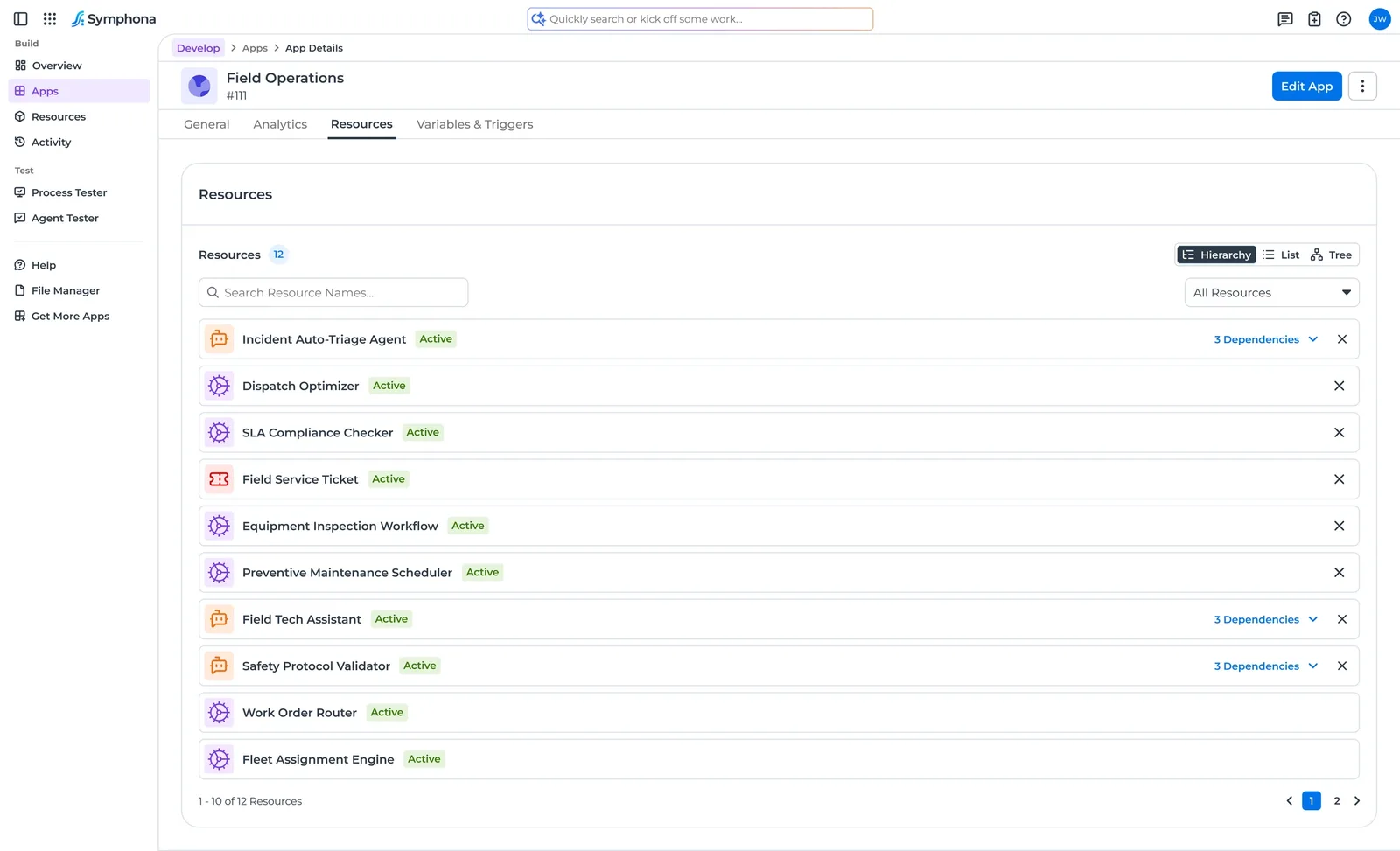
- Ask what an App achieved. Each App carries one primary measurement and up to four secondary ones, each tied to a period and, if you want, a goal.
- Move it between environments. Values such as API keys and hostnames are set once on the App, so moving it means changing those values instead of editing each part. Processes can also take different parameter values for named environments such as DEV, QA and PROD.
- Roll back. Every deploy is saved as a version that can't be changed, so rolling back means redeploying an earlier one.
Four modes for four jobs
Everyone used to see the same interface. In 2.0 the platform has four modes: Support for the people doing the work, Manage for those overseeing it, Develop for builders and Admin for whoever runs the platform. Features outside your role are hidden, not greyed out.
One job, from overnight Process to technician visit
The platform also keeps different kinds of work together. A job can start as an overnight Process, pause for an approval and end with a technician visit. It is recorded as one piece of work.
Cue builds Apps from a description
SimplyAsk Cue is the built-in assistant in every mode. Describe what you need in writing, or hand Cue a diagram, and it drafts an App. Before it builds anything, it shows you the parts it will create. It can also edit an App, look into a problem across the logs, work the tickets assigned to you and generate reports.
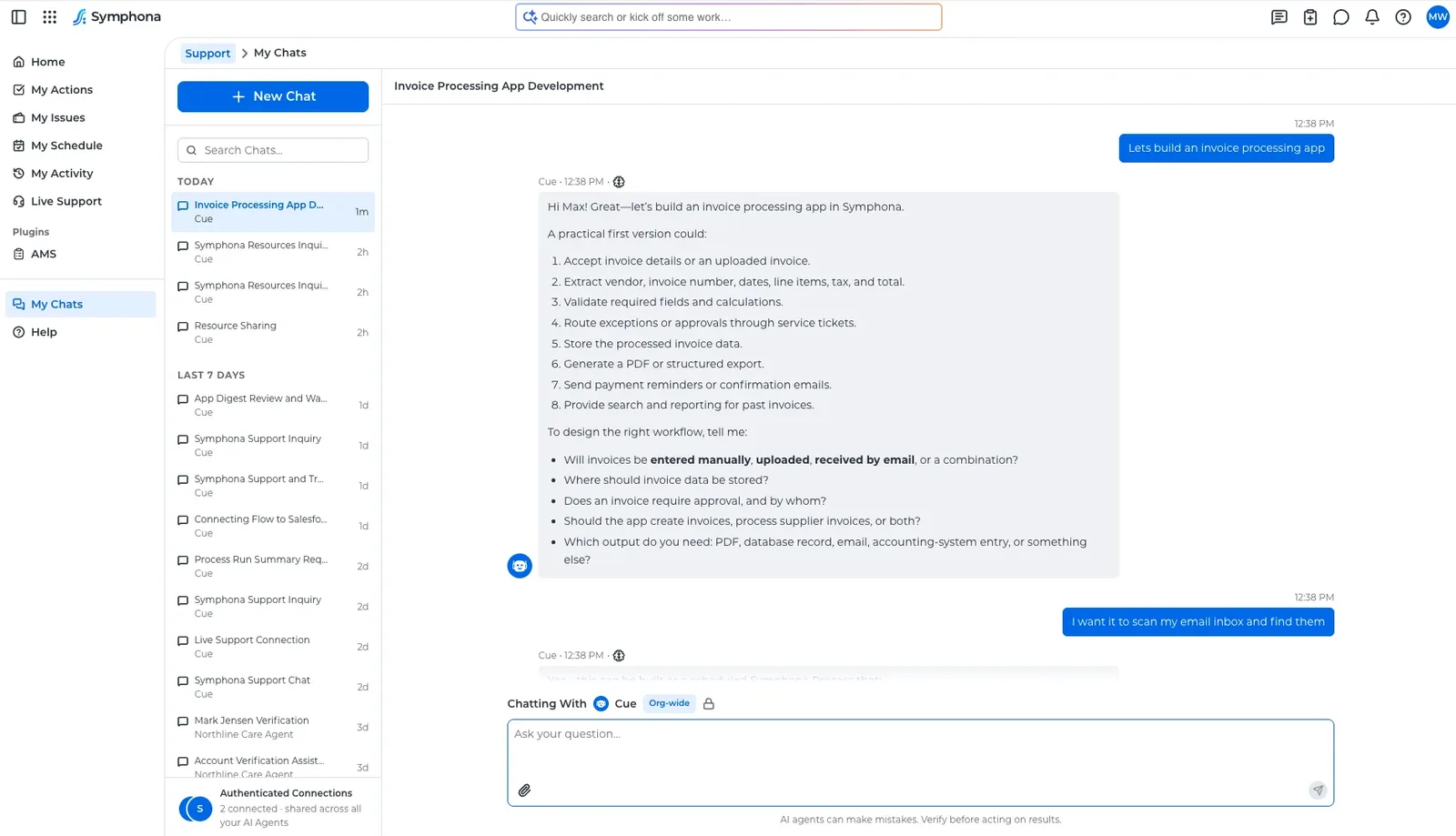
Cue can only do what your own permissions allow. Admins decide who gets access: the whole organization, no one, or chosen users and groups. You can try Cue yourself.
Your own AI tools can work with the platform too. Using scoped keys, which you can limit to what each tool needs, they can create and edit Agents, Service Tickets and more.
AI Agents with a stated list of what they can do
Every AI Agent now has a stated list of what it can do. Skills and MCP Connections feed that list. A Skill is a reusable ability packaged as one ZIP file: upload it once, then add it to any Agent's Tool Pool. An MCP Connection lets your Agents use tools from outside systems that support MCP, an open standard for connecting AI tools. Processes, MCP tools and Skills go into the Agent's Tool Pool, and if a tool is not in the pool, the Agent cannot reach it.
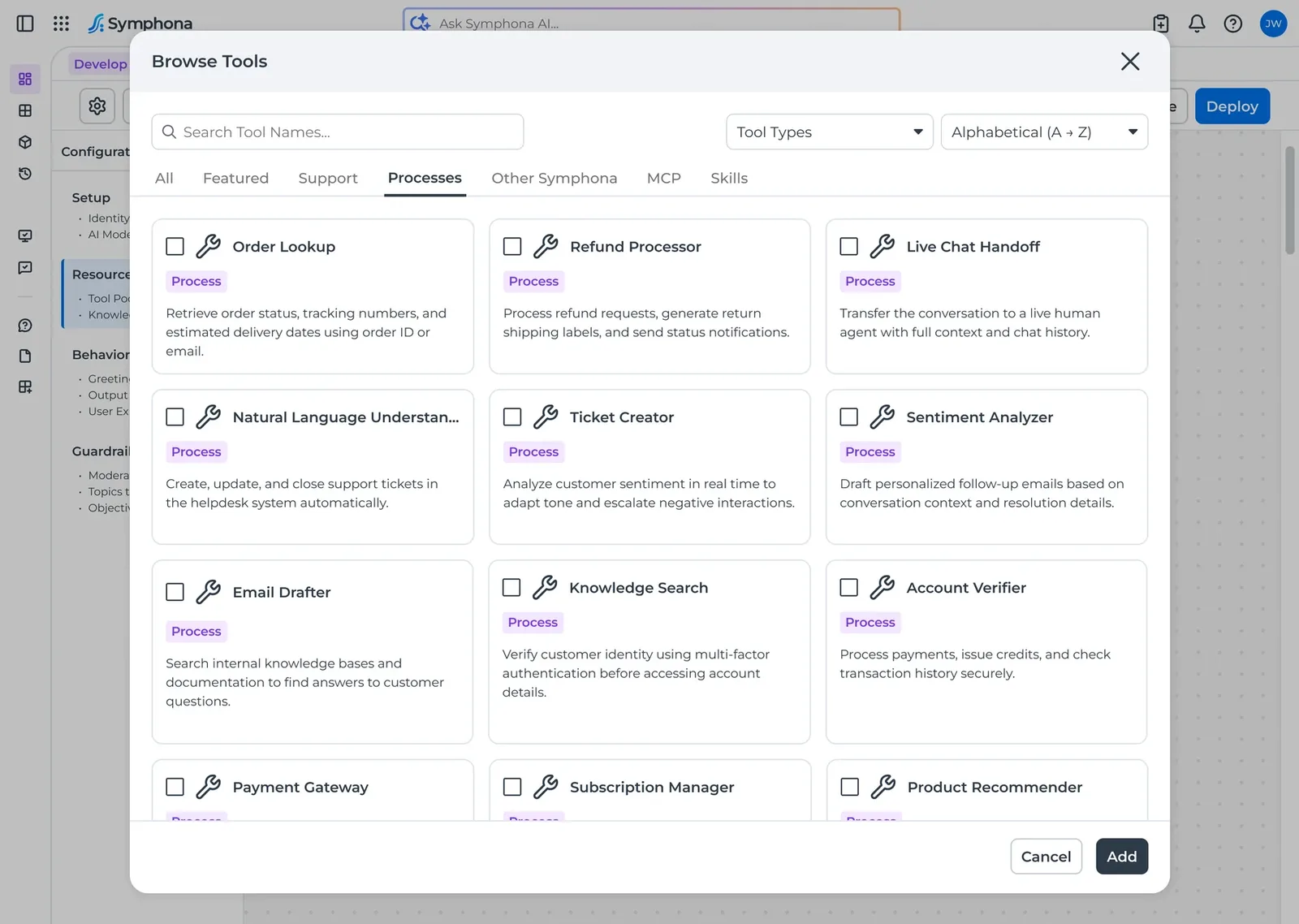
Agents are rebuilt on a single engine. In Setup you give an Agent its identity and purpose and choose its models: a primary model and optional secondary ones.
Guardrails set the limits. You choose objectives and topics to avoid, and the engine enforces the file types you allow. Moderation can check what comes in, the Agent's mid-response thinking and what goes out, each switched on separately. Each check is off by default, because each adds latency and cost.
What the AI did, and who allowed it
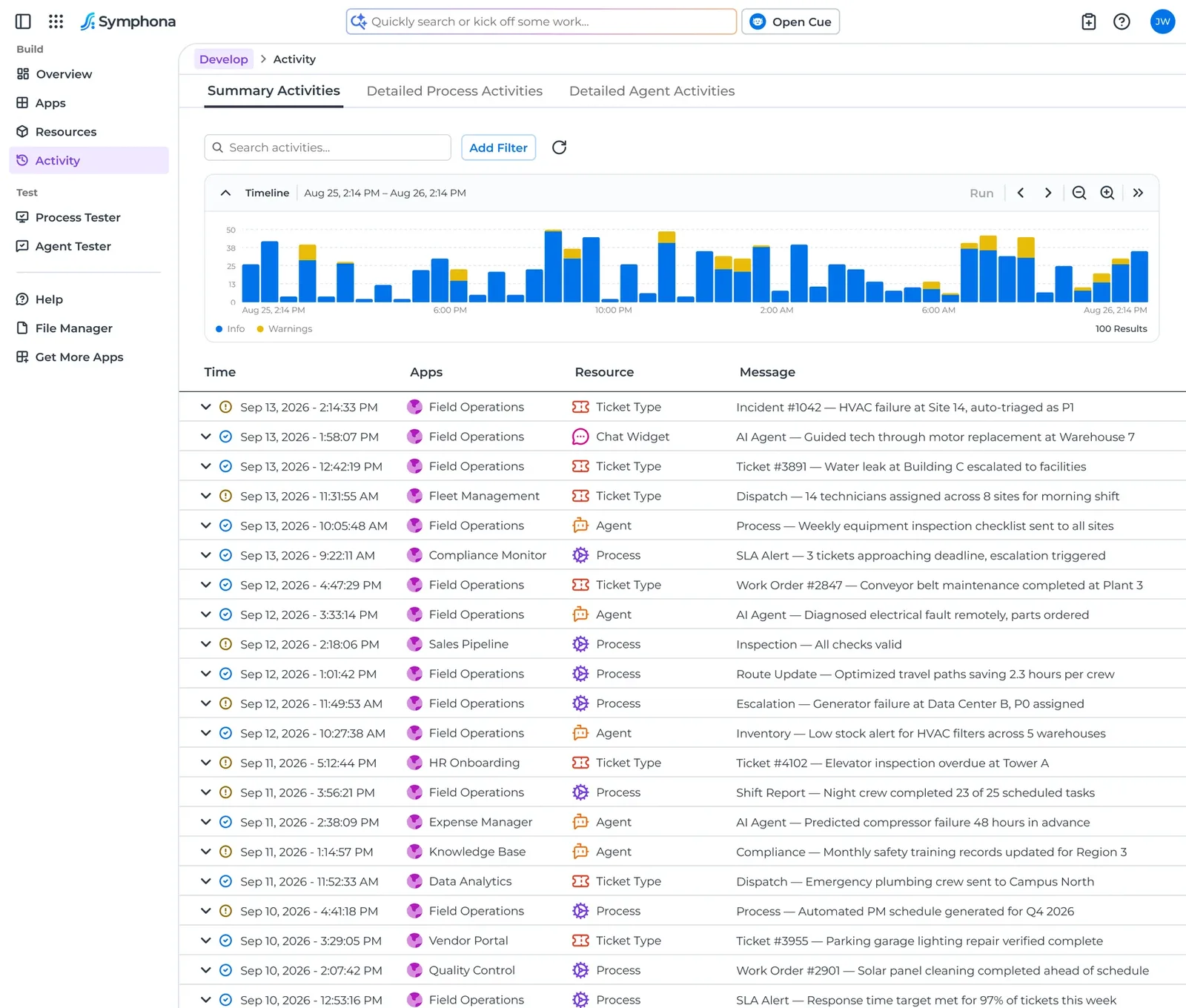
A security review asks what the AI did and who allowed it. Activity answers the first. Sign-in, scoped keys and each Agent's Tool Pool answer the second.
Every Agent session, Process execution and Service Ticket now leaves an entry in one activity record, tagged with its App. The entries are searchable together. Manage mode shows the last 24 hours of activity, deployments and warnings for the Apps you can see.
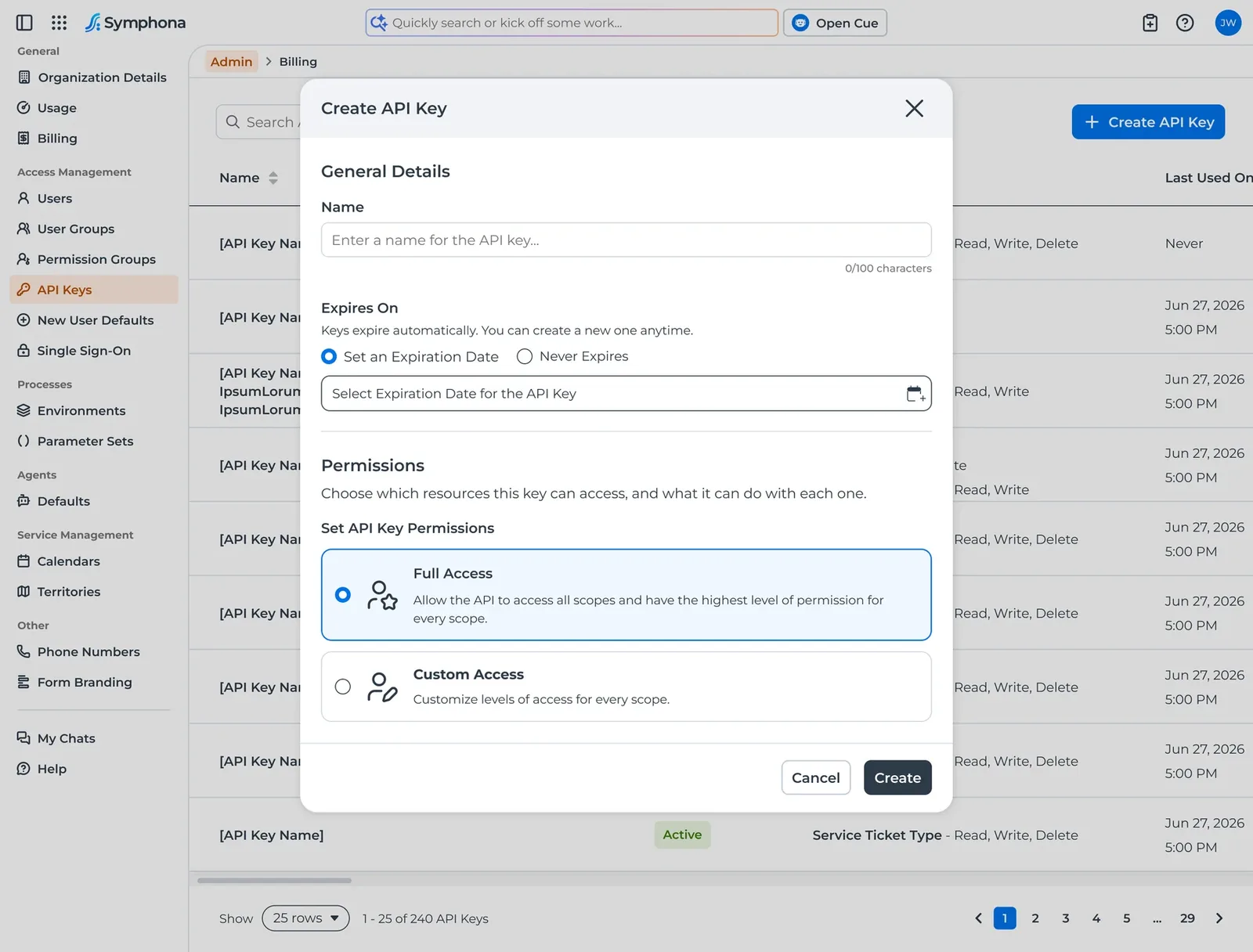
Sign-in and keys are tighter too. On enterprise plans, SSO supports Okta, Microsoft Entra ID and Google Workspace, with the sign-in mode set per tenant. API keys carry a name, an expiry and scopes with read, write and delete rights, and you can duplicate, rotate or revoke them.
Questions
Do my existing AI Agents need rebuilding?
No. Existing Agents migrate without rework.
Do my API keys still work?
Yes. Existing keys keep working for the REST API, with MCP access switched off. Machine integrations that sign in with a username and password are the exception: they must move to API keys.
What happened to Flow, Converse, Serve and Resolve?
Those module names no longer organize the product, and they no longer appear in the menus. Building Processes and Agents now sits in Develop mode, working tickets in Support, and monitoring tickets and Fallout Tickets in Manage.
How does billing change?
Per-transaction line items give way to pooled credits, counted mainly in Process executions and Agent sessions. The Usage page shows what used them.
Start 14-day trial and try 2.0 on your own work.
COMPARTIR
SIGUE LEYENDO
-
Top 10 AI Agent Use Cases for Oil & Gas Operations in 2027
Ten jobs where AI Agents help oil and gas operators, from predictive maintenance to emissions reporting, and the governance each one needs.

-
How to Automate Inventory Reconciliation in 6 Steps (2027)
Your system says 100 units and the shelf holds 62. Six steps to make records correct themselves against reality on a schedule, instead of once a year.